
In 2026, smartphone customization has reached a whole new level. One of the most exciting trends is charging animations. These are small, animated effects that appear on your screen when you plug in your phone. They may seem simple, but they add a fun, personal touch to your daily routine.
Think about plugging in your phone and seeing a glowing battery, bright lights, or a fun animation on the screen. It makes charging your phone feel more fun. In addition, phone charging animations allow you to express your style while keeping track of your battery level.
Whether you like a simple glow or a fun interactive effect, charging animations are becoming very popular in 2026.
How Charging Animations Enhance User Experience
Charging animations are more than just a visual treat. They bring several benefits to your smartphone experience:
- Visual appeal: Instead of a static battery icon, animated effects make your screen lively.
- Fun factor: Watching a charging animation can feel satisfying, especially if it’s interactive.
- Personalization: You can choose animations that match your style or mood.
- Battery feedback: Many animations include a visual representation of how fast your phone is charging.
For example, a glowing battery might slowly fill up as your phone charges, giving a clear and attractive visual indicator.
Charging animations make your daily phone use more fun and useful.
Popular Charging Animation Types
There are several types of charging animations you can explore in 2026. Each has its own unique charm.
1. Glowing Battery
This is a simple yet elegant effect. The battery icon slowly fills with light, often in a gradient or glow. It gives a futuristic feel without being overwhelming.
Example: A light green glow that slowly becomes brighter as your battery charges.
2. Neon Effects
Neon animations bring bright, vibrant colors to your screen. These are perfect for users who love flashy, energetic visuals.
Example: A neon lightning bolt that strikes across your battery icon when charging begins.
3. GIF-Based Animations
Some apps allow you to display GIFs while charging. You can choose anything from cute animals to funny memes.
Example: A GIF of a dancing cat that plays while your phone charges.
Tip: Make sure your GIF is optimized to avoid slowing down your phone.
4. Interactive Animations
These animations react to touch or phone movement. For instance, swiping your finger over the screen might speed up the charging animation or change colors.
Example: Tap the battery icon to see sparks or colorful paper pieces.
Interactive animations add a playful element, turning charging time into a small moment of entertainment.
How to Enable Fun Charging Animations on Your Device
Adding charging animations to your device is easier than you might think. Here’s a simple guide:
For Android Users:
- Open Settings: Tap the Settings icon on your phone to get started.
- Search for Display or Animation Options: Look for “Charging animation” or “Battery effects.”
- Select Your Animation: Choose from the preloaded options or add custom animations.
- Apply and Test: Plug in your charger to see the animation in action.
For iOS Users:
iOS doesn’t natively allow many charging animations, but apps can help:
- Download a trusted charging animation app from the App Store.
- Open the app and grant necessary permissions (screen overlay, battery access).
- Choose your preferred animation from the app library.
- Plug in your phone and enjoy the effect.
Tip: Always read app reviews and permissions to ensure safety.
You can enable charging animations through your phone’s settings. If you want to explore more advanced Android tricks, see our article on Best Hidden Features for Android in 2026.
Avoid These Charging Animation Errors
While charging animations are fun, some mistakes can reduce their effectiveness:
- Using too many animations at once can slow down your phone.
- High-resolution GIFs: Large files can drain battery and reduce charging speed.
- Interactive effects on low-end devices: May cause lag or crashes.
- Ignoring safety warnings: Avoid apps that request unnecessary permissions.
Remember: Your battery’s health is more important than flashy visuals.
How to Personalize Your Charging Animation
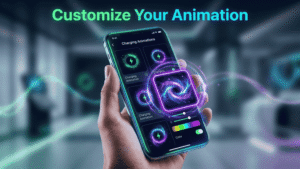
Making your charging animation unique is easy:
- Pick colors that match your phone theme or wallpaper.
- Choose animations that reflect your mood: energetic, relaxing, or playful.
- Combine types: For example, a glowing battery with neon sparks.
- Add sound effects, if your app allows it, for a more engaging experience.
Personalization ensures that your charging experience feels fresh and entertaining every day.
Best Apps to Customize Charging Animations
Here are some top apps to explore in 2026:
1. Charge Glow
- Offers smooth, glowing battery effects
- Multiple colors and gradients
- Lightweight and safe
2. Neon Charge Effects
- Bright neon animations
- Interactive effects when tapping the screen
- Perfect for energetic, flashy visuals
3. GIF Battery Animator
- Let’s you use GIFs for charging animations
- Easy to apply and customize
- Fun, playful, and highly shareable
4. Charge Fun (Optional)
- Combines glow, neon, and interactive effects
- Includes battery percentage display
- Suitable for both casual and advanced users
Tip: Choose apps from official stores and read reviews for safety.
Safety Tips
Charging animations are fun, but safety comes first:
- Battery health: Avoid animations that run at high frame rates constantly.
- App permissions: Only allow the permissions that are really needed
- Privacy: Avoid apps that request personal data.
- Avoid unknown sources: Download apps only from Google Play or Apple App Store.
- Monitor battery temperature: Stop using animations if the phone gets too hot.
Your smartphone will last longer if you balance fun with safety.
Conclusion
In 2026, the best charging animations for your smartphone can turn a routine activity into a fun, personalized experience. From glowing batteries to neon effects, GIFs, and interactive animations, there’s something for everyone.
By customizing your phone with animated charging effects, you not only make your device visually appealing but also enjoy small, satisfying moments every time you plug it in.
So why wait? Explore your options today, pick your favorite animation, and make your smartphone charging experience uniquely yours!